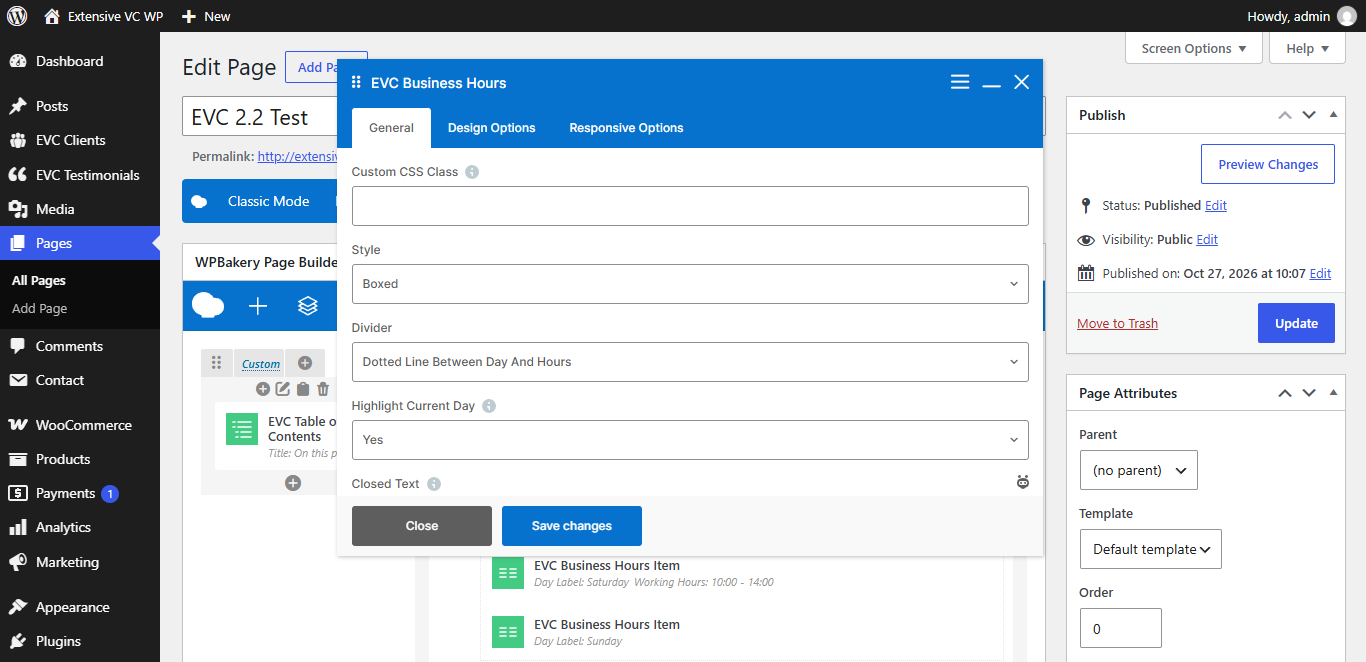
– Custom CSS Class
Style particular content element differently – add a class name and refer to it in custom CSS
– Style
– Divider
- Line Between Items
- Dotted Line Between Day And Hours
- None
– Highlight Current Day
Item which contains current day (by site timezone from Settings -> General) is highlighted. Set days for each item in item options
– Closed Text
Text displayed for items marked as closed. Default value is Closed
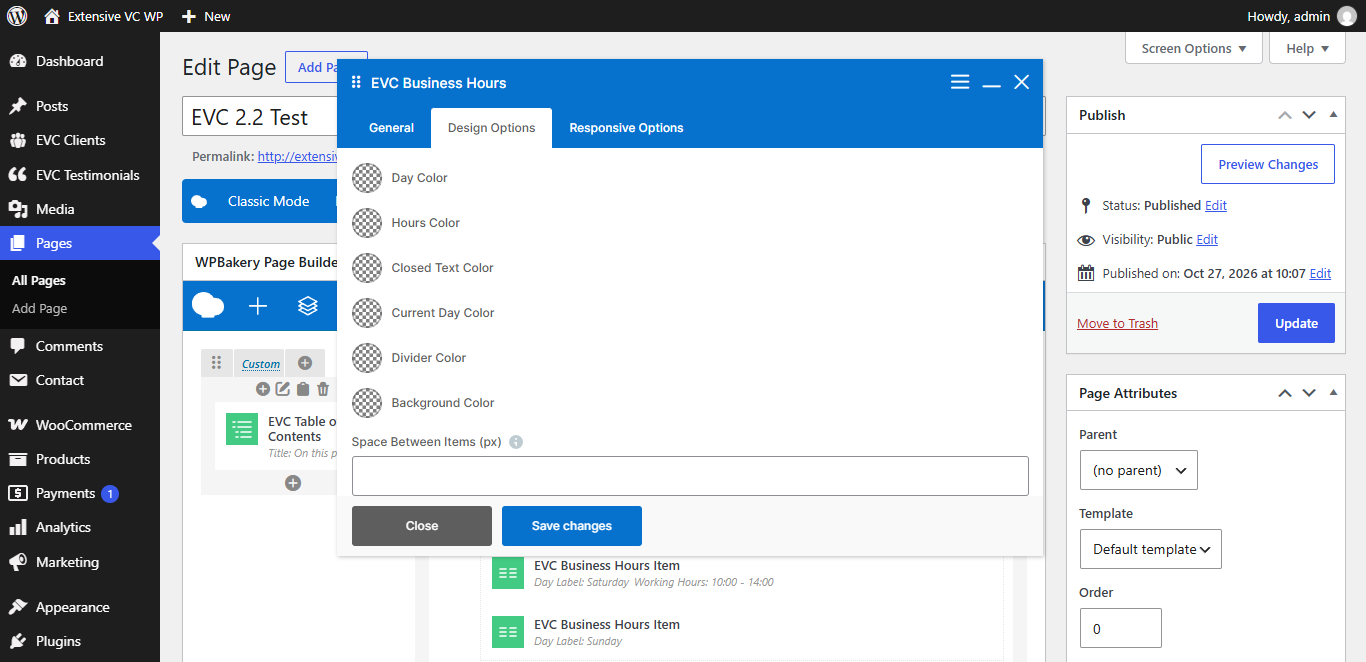
– Day Color
– Hours Color
– Closed Text Color
– Current Day Color
– Divider Color
– Background Color
– Space Between Items (px)
– Hide on Desktop
– Hide on Tablet (up to 1024px)
– Hide on Mobile (up to 680px)
– Margin on Desktop / Tablet / Mobile
Insert margin in format: top right bottom left (e.g. 10px 0 20px 0)
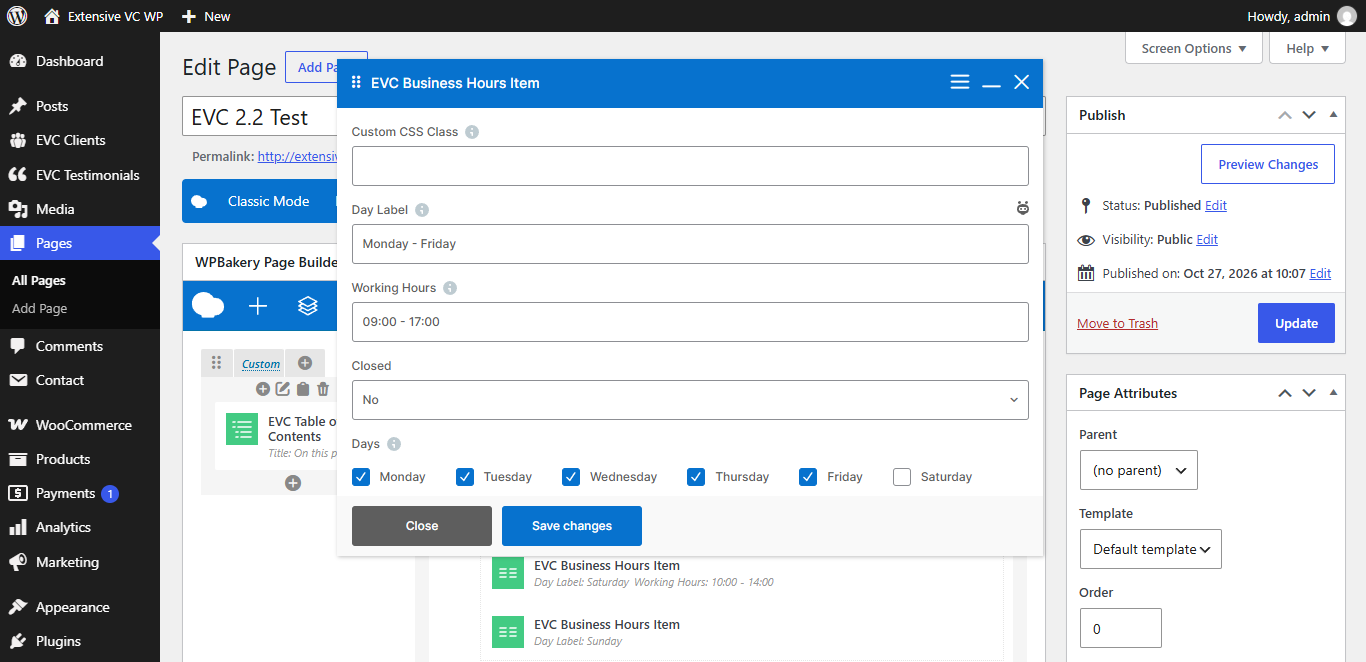
Business Hours Item
– Day Label
E.g. Monday or Monday – Friday
– Working Hours
E.g. 09:00 – 17:00
– Closed
– Days
- Monday
- Tuesday
- Wednesday
- Thursday
- Friday
- Saturday
- Sunday
Select days which this item contains, they are used to highlight current day