Top

Table of Contents

TABLE OF CONTENTS SHORTCODE

Table of Contents element is the one of shortcodes from the Typography shortcode pack. It’s WordPress addon for premium WordPress plugin WPBakery page builder Visual Composer. Below you can see all variations of this shortcode with all admin options and functionalities.

Table of Contents – Sticky In Sidebar With Numbers

Getting Started

Extensive VC is a powerful WordPress tool which allows you to add unique, flexible and fully responsive shortcode elements on your site. Table of contents is generated automatically from headings of this content.

Requirements

Plugin requires WordPress 6.0, PHP 8.2 and WPBakery page builder plugin. All elements are compatible with WPML and Polylang plugins.

Installation

Go to your WordPress Dashboard, Plugins, Add New and search for Extensive VC. Install and activate the plugin and you are ready to go.

Adding Elements

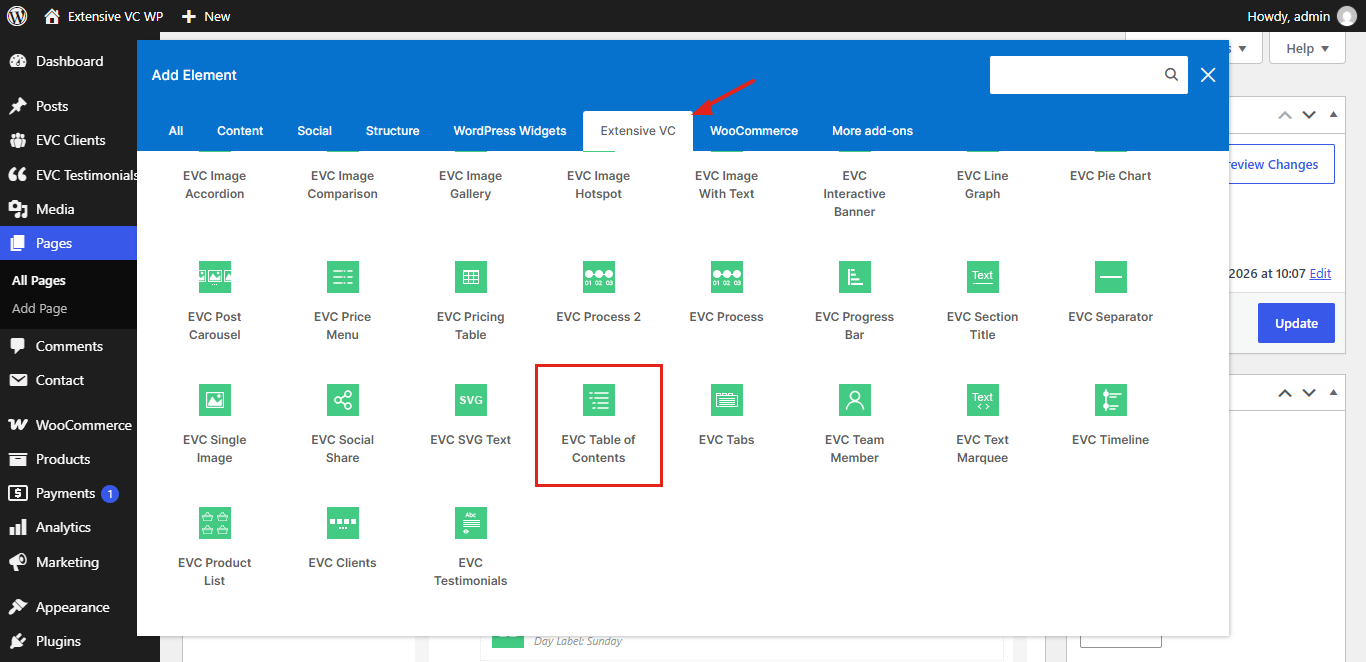
Open your page with WPBakery page builder, click on add element button and open Extensive VC tab. There you can find all elements from four element packs.

Element Options

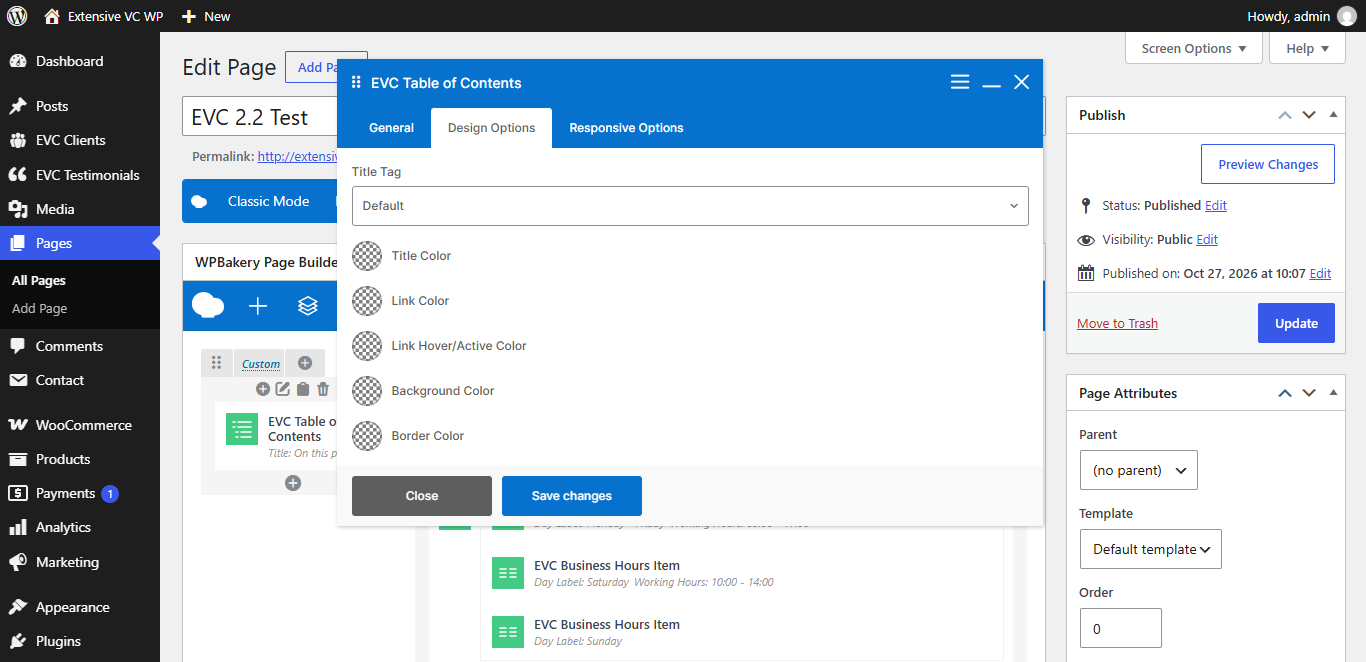
Every element has general, design and responsive options, so you can change its look on desktop, tablet and mobile devices.

Global Settings

In Extensive VC settings page you can set main color, predefined style and choose which elements are enabled on your site.

Performance

Styles and scripts are loaded only on pages where elements are used, and fonts are loaded locally without connection to Google servers.


Table of Contents – Collapsible With Bullets

ADMIN OPTIONS

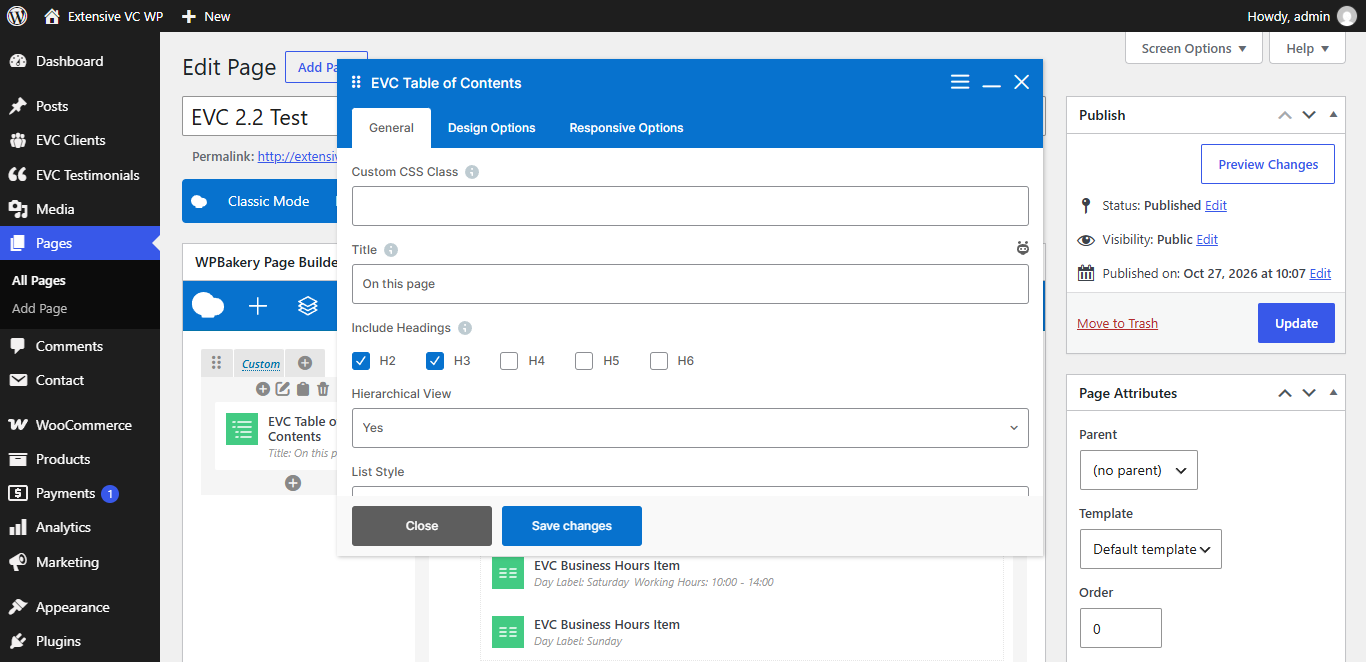
– Custom CSS Class

Style particular content element differently – add a class name and refer to it in custom CSS

– Title
– Include Headings
  • H2
  • H3
  • H4
  • H5
  • H6

Headings are collected from the page content. Add evc-toc-exclude class to a heading or its row to exclude it from the list

– Hierarchical View
– List Style
  • Numbers
  • Bullets
  • None
– Collapsible
– Collapsed By Default
– Highlight Current Section
– Sticky

Element follows page scroll inside its column, e.g. in sidebar column. Set Equal height option for the row, so column is as tall as the content

– Scroll Offset (px)

Space above the heading after scroll, e.g. height of the sticky header. Default value is 30

– Content Selector

CSS selector of the content which contains headings, e.g. .entry-content. Leave empty to use page content

– Title Tag
  • h1
  • h2
  • h3
  • h4
  • h5
  • h6
  • p
– Title Color
– Link Color
– Link Hover/Active Color
– Background Color
– Border Color
– Hide on Desktop
– Hide on Tablet (up to 1024px)
– Hide on Mobile (up to 680px)
– Margin on Desktop / Tablet / Mobile

Insert margin in format: top right bottom left (e.g. 10px 0 20px 0)