Top

Image Hotspot

IMAGE HOTSPOT SHORTCODE

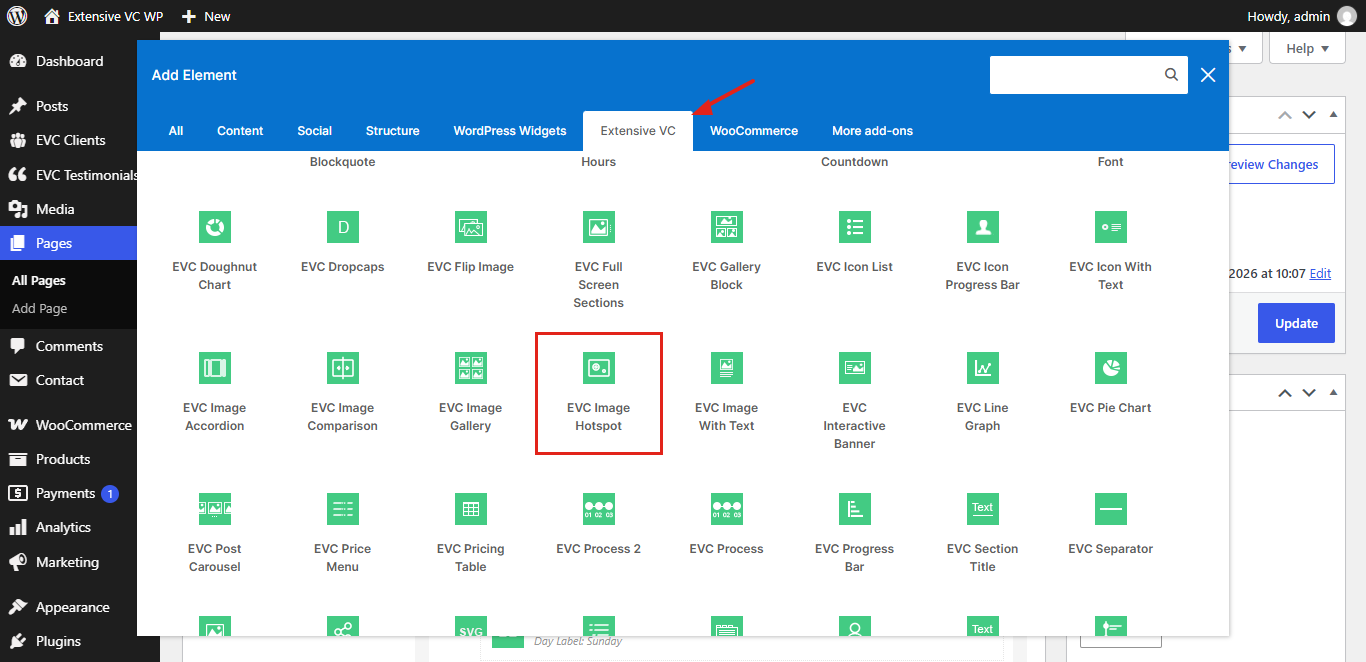
Image Hotspot element is the one of shortcodes from the Interactive shortcode pack. It’s WordPress addon for premium WordPress plugin WPBakery page builder Visual Composer. Below you can see all variations of this shortcode with all admin options and functionalities.

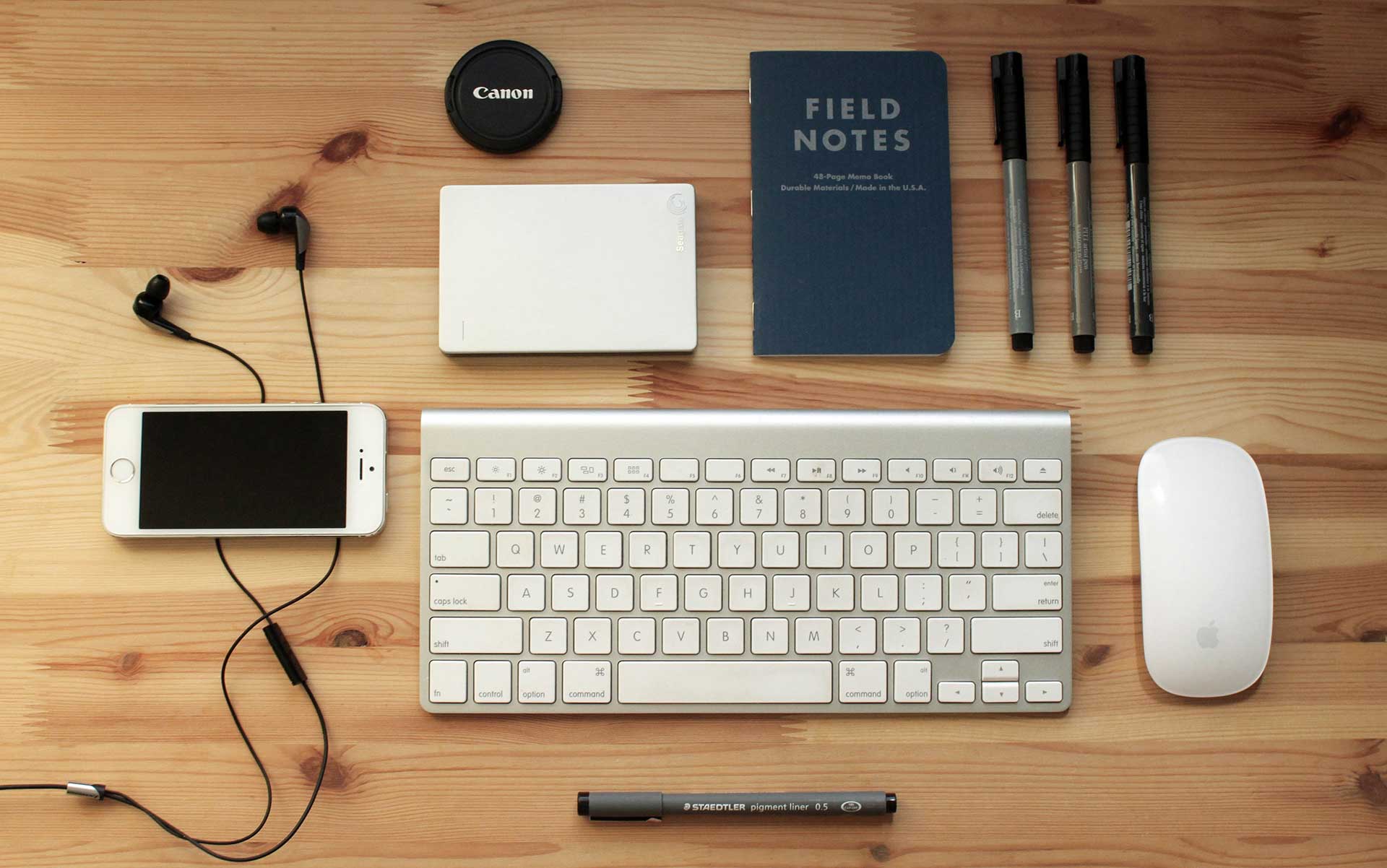
Image Hotspot – Tooltip On Hover
WP Realize Extensive VC plugin - Home 1

Retina Display

Hotspot tooltip can be displayed on top, bottom, left or right side

Drawing Tablet

Add title, text and link for each hotspot

Interactive Pack

Headphones

Position is set in percentages, so hotspots stay on the same place on every screen

Vintage Camera

Tooltips are opened on keyboard focus too

Wireless Keyboard

Dot marker type

Image Hotspot – Tooltip On Click With Numbers
WP Realize Extensive VC plugin - Full Screen Sections shortcode

Field Notes

Click on number to open tooltip

Smartphone

Click outside or press Escape key to close it

Keyboard

Custom marker and tooltip colors

Mouse

Number marker type

Lens Cap

Text marker type

ADMIN OPTIONS

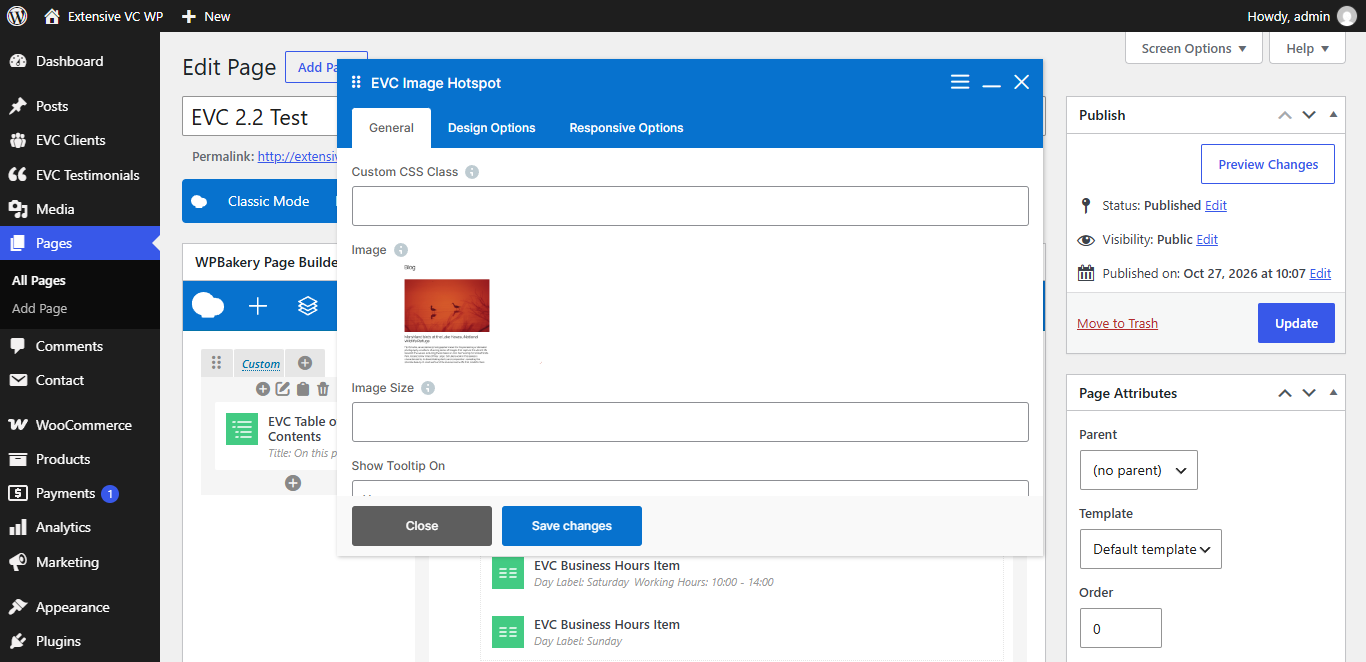
– Custom CSS Class

Style particular content element differently – add a class name and refer to it in custom CSS

– Image
– Image Size

Fill your image size (thumbnail, medium, large, full or any registered image size) or enter image size in pixels: 200×100 (width x height). Leave empty to use original image size

– Show Tooltip On
  • Hover
  • Click
– Tooltip Position
  • Top
  • Bottom
  • Left
  • Right
– Enable Pulse Animation
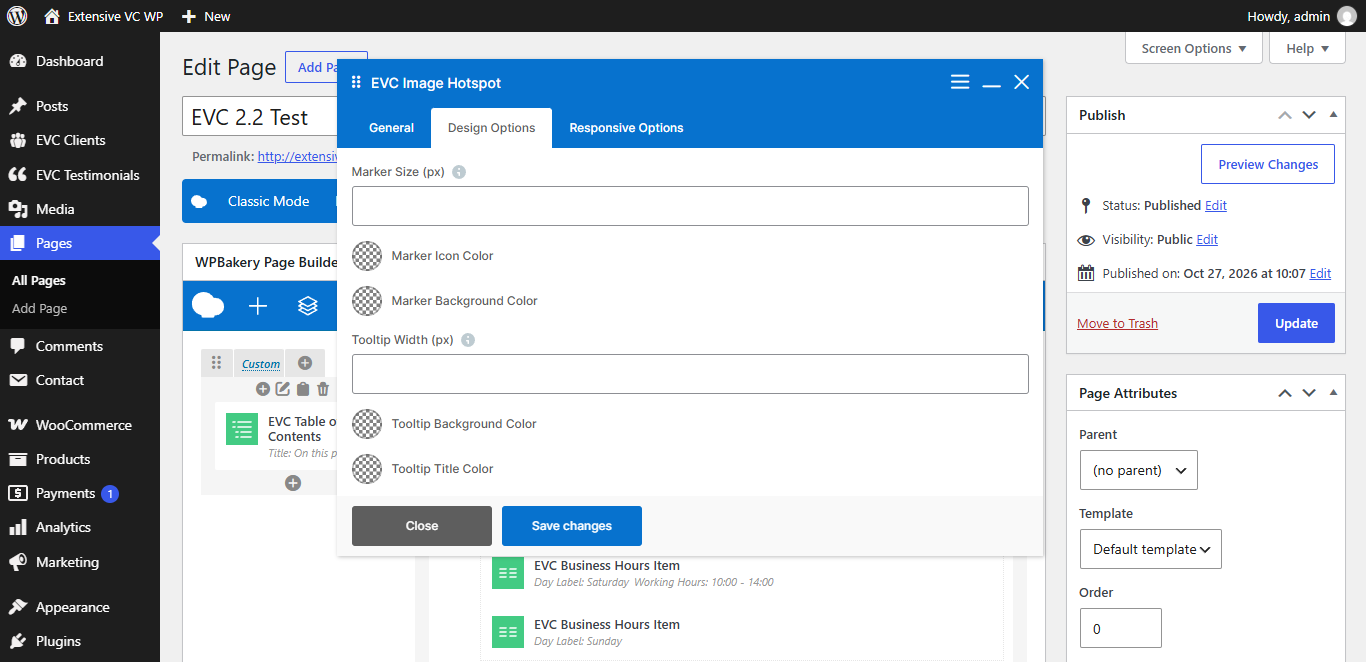
– Marker Size (px)
– Marker Icon Color
– Marker Background Color
– Tooltip Width (px)
– Tooltip Background Color
– Tooltip Title Color
– Tooltip Text Color
– Hide on Desktop
– Hide on Tablet (up to 1024px)
– Hide on Mobile (up to 680px)
– Margin on Desktop / Tablet / Mobile

Insert margin in format: top right bottom left (e.g. 10px 0 20px 0)

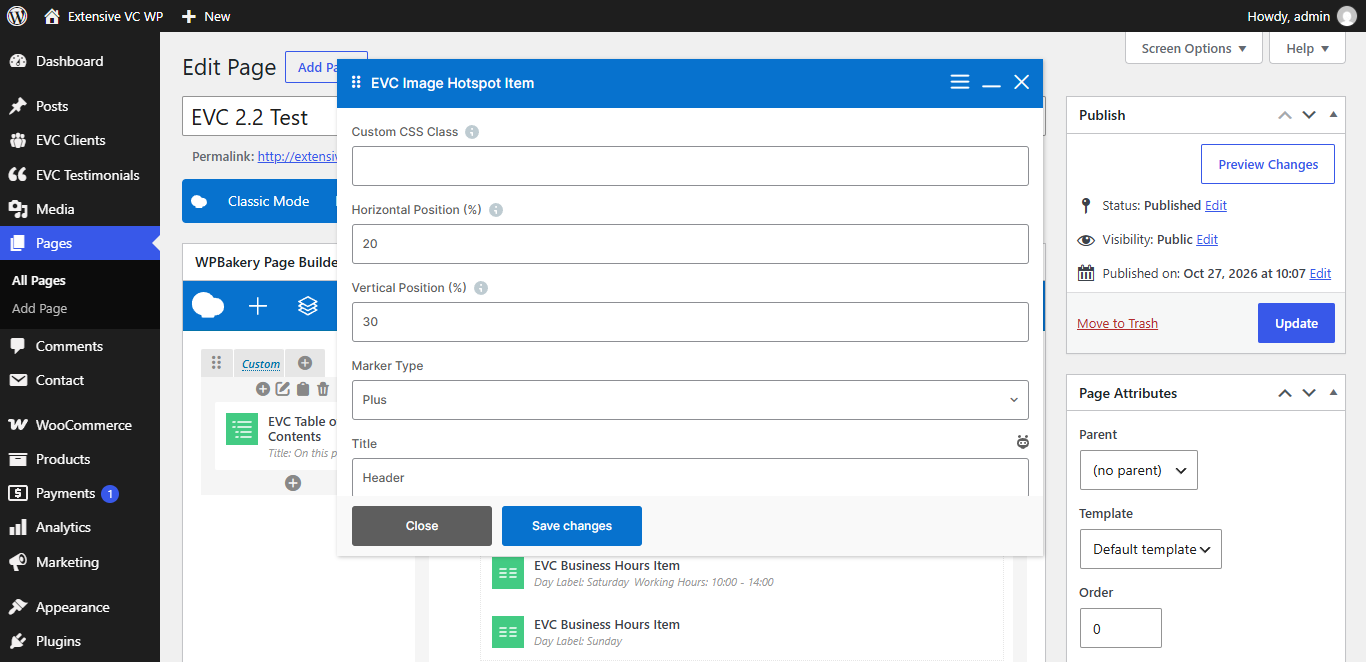
Image Hotspot Item
– Horizontal Position (%)

Distance from the left edge of the image, from 0 to 100

– Vertical Position (%)

Distance from the top edge of the image, from 0 to 100

– Marker Type
  • Plus
  • Dot
  • Number
  • Text
– Marker Text
– Title
– Text
– Custom Link
– Link Text
– Tooltip Position

  • Top
  • Bottom
  • Left
  • Right